01
Information is hard to read
Notebooks, paper slips, messages, and calls: when several people take orders, it quickly becomes difficult to read.
Order management app for bakeries and pastry shops
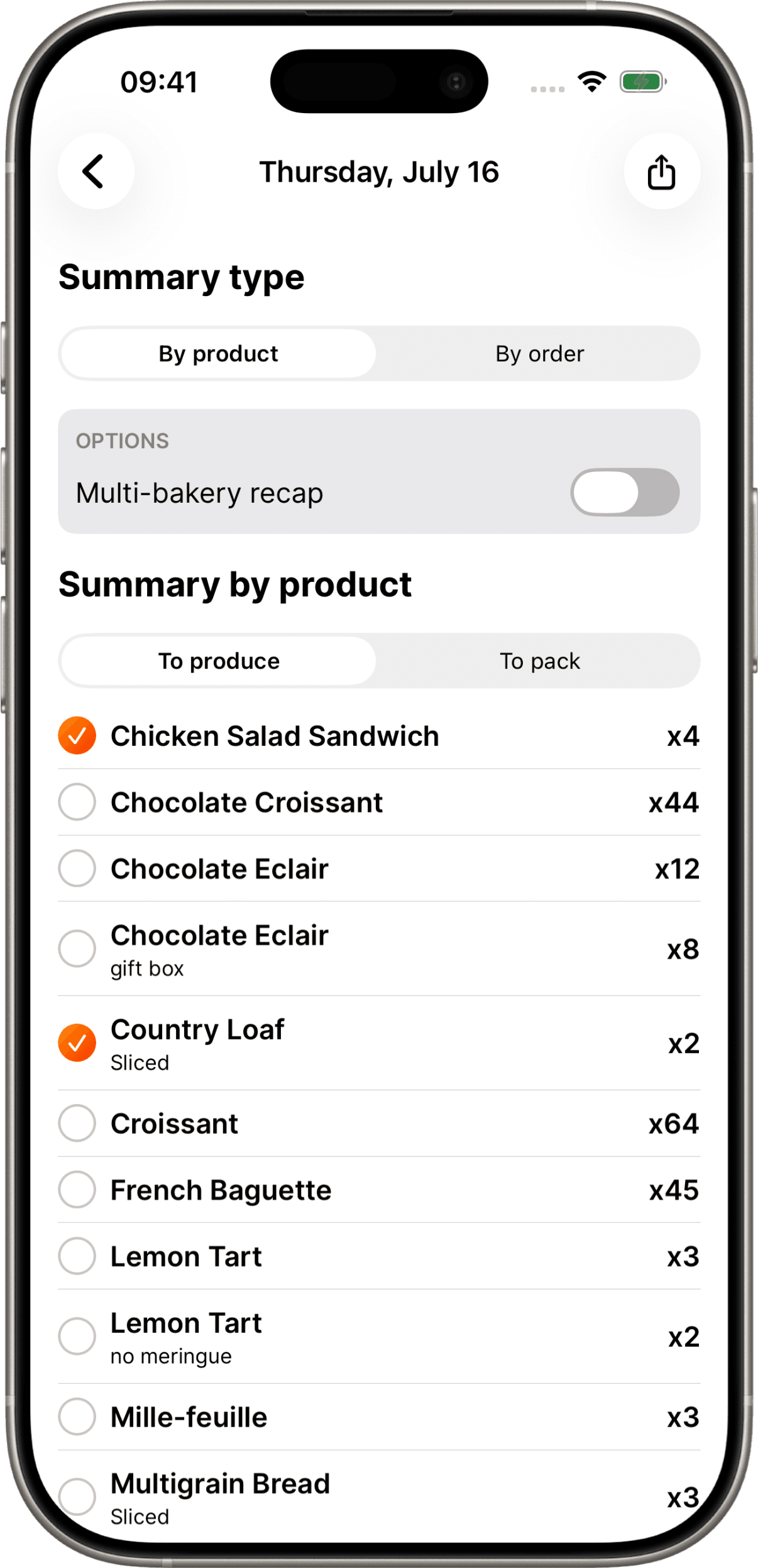
Enter each order once. Calpain groups the quantities your bakery team needs to prepare, by product, category or order.
On iPhone, iPad and Android · Account and subscription in the app
Trusted by




The problem
With a notebook, diary, or messages, the same information must be reread, added up, then copied for the bakery team. That is where time is lost and mistakes appear.
Notebooks, paper slips, messages, and calls: when several people take orders, it quickly becomes difficult to read.
At the end of the day, someone has to go through every order and add up the products needed to make them.
One misread line or wrong count can create an omission, especially at weekends and during holiday periods.
The core of Calpain
Choose a date or period. Calpain groups your recorded orders and shows the quantities to prepare in the view you need.
Check quantities by product, category, or order.
View the daily summary or choose the period you need.
Move each product quantity directly from production to packing.
Generate the summary as a PDF and share it with your team.
Print the summary when the bakery team needs it.
Recalculate the summary from up-to-date orders.
How it works
In three steps, Calpain supports your team from order entry to the production summary.
Step 01 / 03
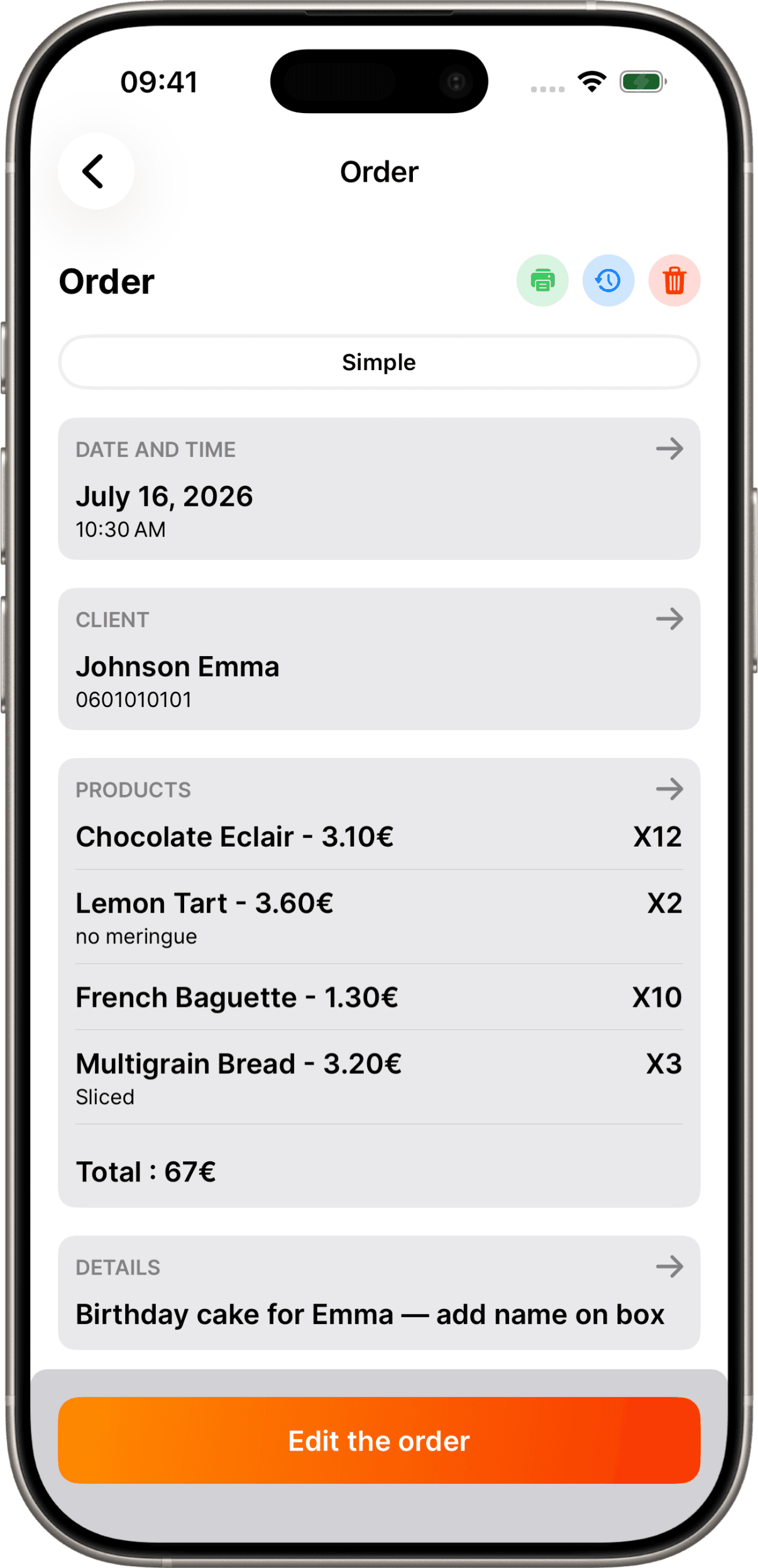
Your team selects the customer, adds products and their details, then records pickup or delivery, payment, and tracking statuses.
Features
Calpain gathers the information needed to take orders, follow up with your team, and prepare every day.
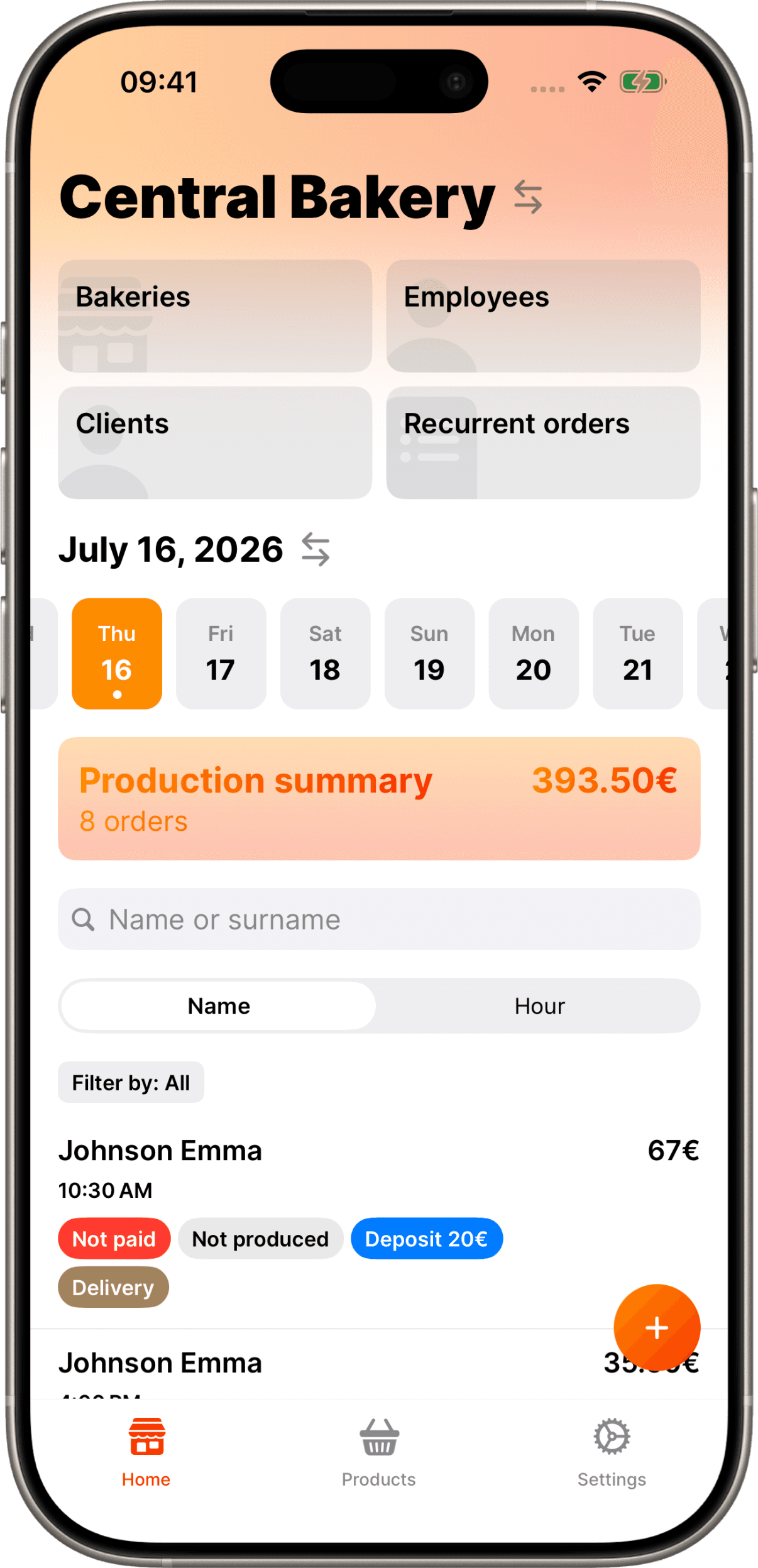
Record products, details, deposits and payment status. Specify pickup or delivery and whether the order has been invoiced.
Set active days and an end date. Configured closures block new orders and exclude the affected recurring occurrences.
Save your customers’ contact details and find their record in seconds whenever you take an order.
Set access and permissions, track actions, and manage orders across multiple locations.
Search and sort orders, then filter them by payment, production, packing, or delivery.
Create products across several shops, import a catalog, and choose where to apply changes. Manage categories, unit or weight-based prices, PDFs, and POS printing.
Track stock in each shop and workshop. Distribute quantities between locations, set stock alert thresholds, and share your inventory as a PDF.
Testimonials
Pricing
Start with a 7-day trial directly in the app. A demo is available if you would like guidance.
€49.99 / month
Orders, customers, catalogue, production summaries and team access.
Try this plan€89.99 / month
Orders, customers, catalogue, production summaries and team access.
Try this plan€129.99 / month
Orders, customers, catalogue, production summaries and team access.
Try this planMonthly prices for France, in euros. Your store shows the applicable price and terms before purchase. Activate the trial and subscription in the app. Review the renewal and cancellation terms before confirming.
Download the app, create your account and choose a plan to activate the trial. Add your products and a first order, then view the quantities to prepare.
Trial, renewal and cancellation terms are shown in the store before you confirm the subscription.
The demo is optional. Book 30 minutes with the founder to explore order entry, bakery production and how your team works.
FAQ
Straightforward answers, shaped with bakeries using Calpain every day in France and Switzerland.